




Configuration
यह कंटेंट अभी तक आपकी भाषा में उपलब्ध नहीं है।
Configuration Reference
Section titled “Configuration Reference”Complete configuration guide for GalataJ components.
Agent Configuration
Section titled “Agent Configuration”Java Agent Arguments
Section titled “Java Agent Arguments”Add agent to JVM startup:
-javaagent:dist/agent/agent-core-1.0.0-SNAPSHOT.jar=package=com.myappParameters:
package=<package>- Package prefix to instrument (required)
Example:
-javaagent:agent.jar=package=com.exampleSystem Properties
Section titled “System Properties”Controller Connection
Section titled “Controller Connection”-Dprofiler.controller.host=localhost # Controller host (default: localhost)-Dprofiler.controller.port=9876 # Controller TCP port (default: 9876)-Dprofiler.controller.http.port=9877 # Controller HTTP port (default: 9877)Flush Interval
Section titled “Flush Interval”-Dprofiler.flush.interval.ms=1000 # Metrics flush interval in ms (default: 1000)Timer Source
Section titled “Timer Source”-Dprofiler.timer=wall # wall-clock time (default on Windows)-Dprofiler.timer=cpu # CPU timeNote: Windows defaults to wall for better stability.
Environment Variables
Section titled “Environment Variables”Docker Registration
Section titled “Docker Registration”GALATAJ_PROJECT=my-service # Project name for identificationGALATAJ_CONTROLLER_HOST=localhost # Controller hostGALATAJ_CONTROLLER_PORT=9876 # Controller TCP portComplete Agent Configuration
Section titled “Complete Agent Configuration”VM Options:
-javaagent:dist/agent/agent-core-1.0.0-SNAPSHOT.jar=package=com.myapp-Dprofiler.controller.host=localhost-Dprofiler.controller.port=9876-Dprofiler.controller.http.port=9877-Dprofiler.flush.interval.ms=1000-Dprofiler.timer=wallDockerfile:
ENV JAVA_TOOL_OPTIONS="-javaagent:/agent/agent.jar=package=com.myapp"ENV GALATAJ_PROJECT=my-serviceENV GALATAJ_CONTROLLER_HOST=host.docker.internalENV GALATAJ_CONTROLLER_PORT=9876Controller Configuration
Section titled “Controller Configuration”Default:
- TCP: 9876 (agent connections)
- HTTP: 9877 (CLI/IDE API)
Custom Ports:
CLI:
galataj controller start --port 8888# TCP: 8887, HTTP: 8888Environment Variable:
export GALATAJ_CONTROLLER_PORT=8888galataj controller startManual:
java -jar controller.jar 8887 8888# TCP port, HTTP portResource Monitoring
Section titled “Resource Monitoring”System Property:
-Dprofiler.controller.resource.interval.seconds=10 # Monitoring interval (default: 10)CLI Configuration
Section titled “CLI Configuration”CLI Path
Section titled “CLI Path”System Property (for IDE):
-Dgalataj.cli.path=/path/to/galatajEnvironment Variable:
export GALATAJ_CLI_PATH=/usr/local/bin/galatajController Port
Section titled “Controller Port”Environment Variable:
export GALATAJ_CONTROLLER_PORT=9877License Configuration
Section titled “License Configuration”API URL
Section titled “API URL”Environment Variable:
export GALATAJ_LICENSE_API_URL=https://license.galataj.com/v1Default: Cloudflare Worker endpoint
Machine ID
Section titled “Machine ID”Environment Variable:
export GALATAJ_MACHINE_ID=abc123Note: Auto-generated if not set. Used for license validation.
Checkout URL
Section titled “Checkout URL”Environment Variable:
export LEMON_SQUEEZY_CHECKOUT_URL=https://your-store.lemonsqueezy.com/checkout/buy/variant-idIntelliJ Plugin Configuration
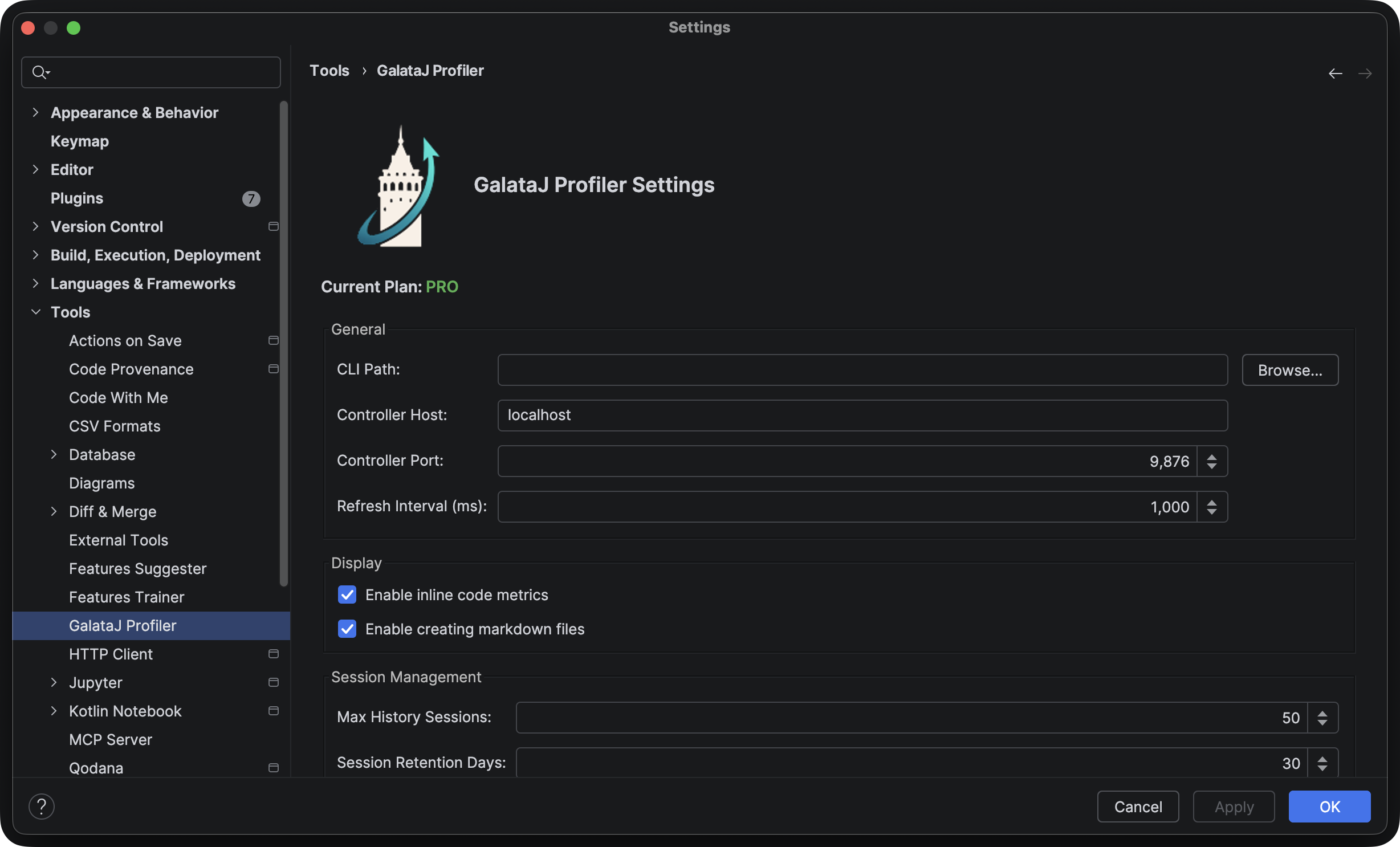
Section titled “IntelliJ Plugin Configuration”CLI Path
Section titled “CLI Path”VM Options:
-Dgalataj.cli.path=C:\tools\galataj.exeFile: Help → Edit Custom VM Options...
Controller Port
Section titled “Controller Port”Uses CLI configuration (environment variable or default).
Package Filtering
Section titled “Package Filtering”Single Package
Section titled “Single Package”-javaagent:agent.jar=package=com.myappMultiple Packages
Section titled “Multiple Packages”Currently, only one package prefix is supported. For multiple packages, use a common parent:
# Instead of: com.foo, com.bar# Use: com-javaagent:agent.jar=package=comPerformance Tuning
Section titled “Performance Tuning”Reduce Overhead
Section titled “Reduce Overhead”Increase flush interval:
-Dprofiler.flush.interval.ms=5000 # Flush every 5 seconds instead of 1Note: Lower frequency = less overhead but less real-time updates.
Increase Precision
Section titled “Increase Precision”Decrease flush interval:
-Dprofiler.flush.interval.ms=500 # Flush every 500msNote: Higher frequency = more overhead but more real-time updates.
Network Configuration
Section titled “Network Configuration”Docker Desktop (Mac/Windows)
Section titled “Docker Desktop (Mac/Windows)”ENV GALATAJ_CONTROLLER_HOST=host.docker.internalOption 1: Host IP
ENV GALATAJ_CONTROLLER_HOST=172.17.0.1Option 2: Shared Network Use Docker network or Kubernetes service name.
Kubernetes
Section titled “Kubernetes”env:- name: GALATAJ_CONTROLLER_HOST value: "profiler-controller.default.svc.cluster.local"Configuration Files
Section titled “Configuration Files”License Storage
Section titled “License Storage”Location: ~/.galataj/license.json
Format:
{ "licenseKey": "abc123-def456", "tier": "pro", "expiresAt": "2025-12-31T23:59:59Z", "machineId": "xyz789"}Note: File is created automatically. Do not edit manually.
Controller PID File
Section titled “Controller PID File”Location: ~/.galataj/controller.pid
Note: Used for controller lifecycle management. Do not edit manually.
Configuration Examples
Section titled “Configuration Examples”Local Development
Section titled “Local Development”Run Configuration (IntelliJ):
VM options:-javaagent:dist/agent/agent-core-1.0.0-SNAPSHOT.jar=package=com.example-Dprofiler.controller.host=localhost-Dprofiler.controller.port=9876-Dprofiler.timer=wallDocker Development
Section titled “Docker Development”Dockerfile:
FROM openjdk:11-jre-slim
COPY agent-core-1.0.0-SNAPSHOT.jar /agent/agent.jar
ENV JAVA_TOOL_OPTIONS="-javaagent:/agent/agent.jar=package=com.myapp"ENV GALATAJ_PROJECT=my-serviceENV GALATAJ_CONTROLLER_HOST=host.docker.internalENV GALATAJ_CONTROLLER_PORT=9876Production
Section titled “Production”Minimal overhead:
-javaagent:agent.jar=package=com.myapp-Dprofiler.flush.interval.ms=5000-Dprofiler.timer=cpuReal-time monitoring:
-javaagent:agent.jar=package=com.myapp-Dprofiler.flush.interval.ms=500-Dprofiler.timer=wallTroubleshooting
Section titled “Troubleshooting”Agent Not Connecting
Section titled “Agent Not Connecting”Check:
- Controller host/port configuration
- Network connectivity
- Firewall rules
- Controller logs
High Overhead
Section titled “High Overhead”Solutions:
- Increase flush interval
- Use CPU timer instead of wall-clock
- Narrow package filter
Configuration Not Applied
Section titled “Configuration Not Applied”Check:
- System properties format
- Environment variables set correctly
- JVM restarted (if needed)
- Configuration precedence
Next Steps
Section titled “Next Steps”- Learn about CLI commands
- See Troubleshooting Guide